
Use Knitwit templates and the prompt library to create and store client context prompts.
You'll get better answers when you start with great context.
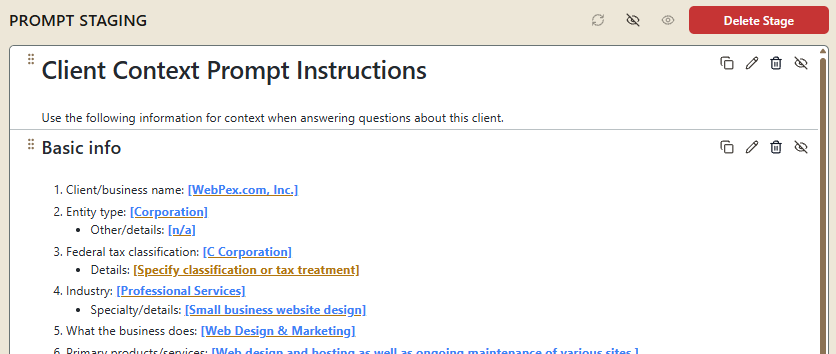
Select a saved client context prompt, add a question, and send it to the AI
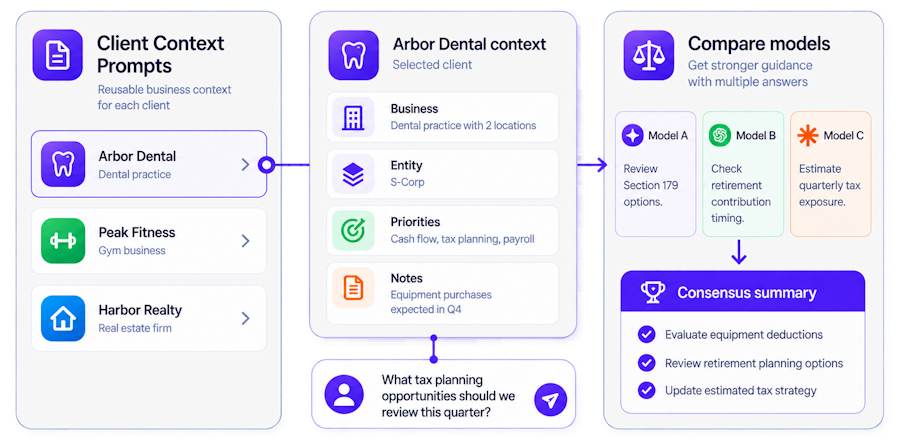
Context prompt. New Question. Better Results. Compare.
The Power of Reusable Context
Use Knitwit to get better results on subject-related questions with context prompts. Context prompts are prompts that you create and store in the prompt library. They can be attached to new questions and provide the AI with contextual information on a specific subject such as a client, project, case, or grant. The AI will be able to provide a more tailored answer with the additional context, so your results are likely to be better, cost less, and faster.
Where do context prompts come in handy?
WORKFLOW
- Compose a new prompt on the Knitwit stage. Add as many relevant details about the subject as possible.
- Save the prompt to the library. This prompt can be improved over time as new information becomes available.
- Import the prompt when asking new questions that would benefit from having additional context.
- Submit to one or more AI models for an answer.
- Use Knitwit’s Knit feature to compare answers.